网关
网关存在的目的是将已有的IOT系统数据采集到ThingsBoard平台(包括云服务和边缘服务)中
新建网关(云端)
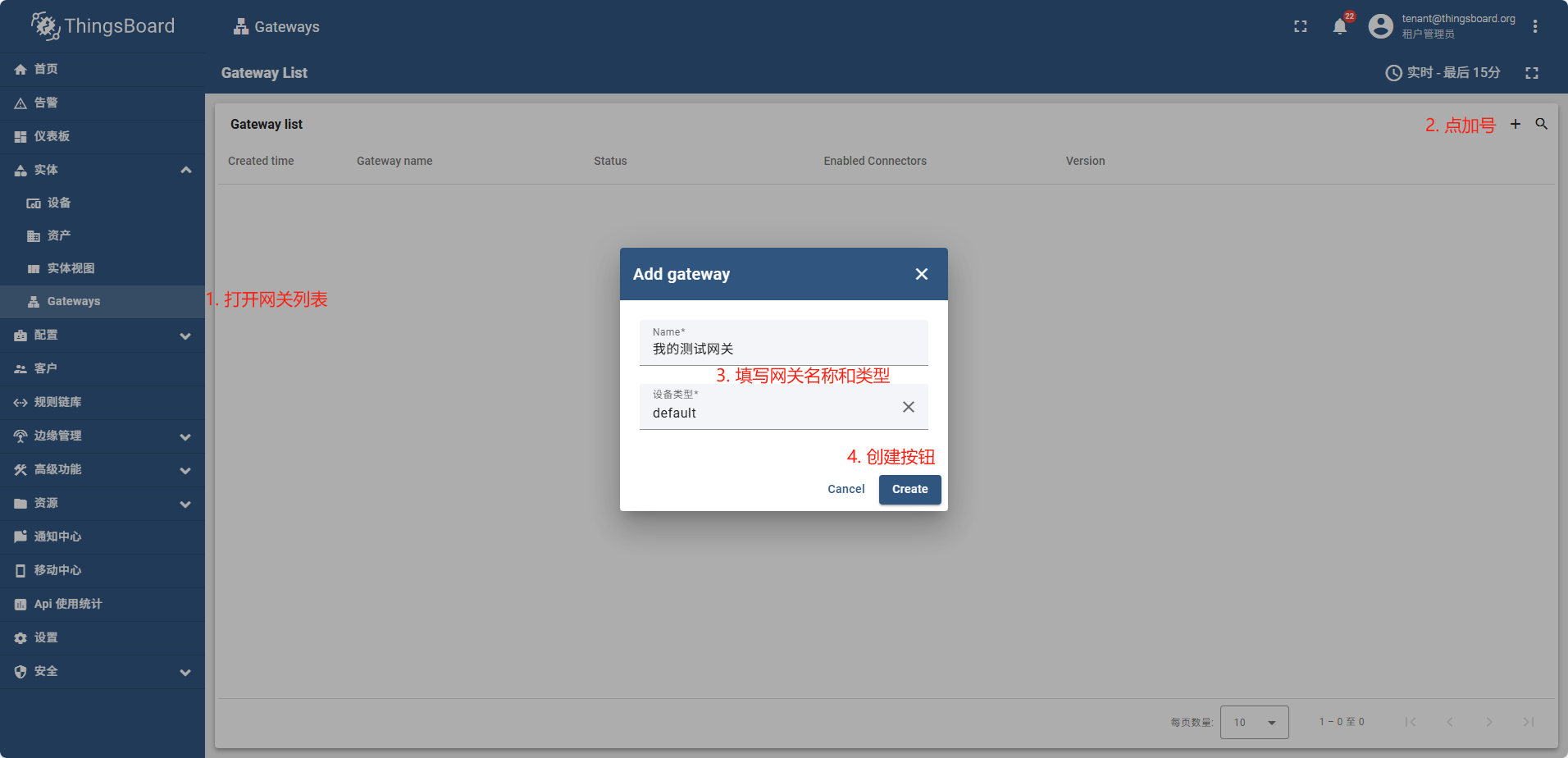
直接下载也可以,
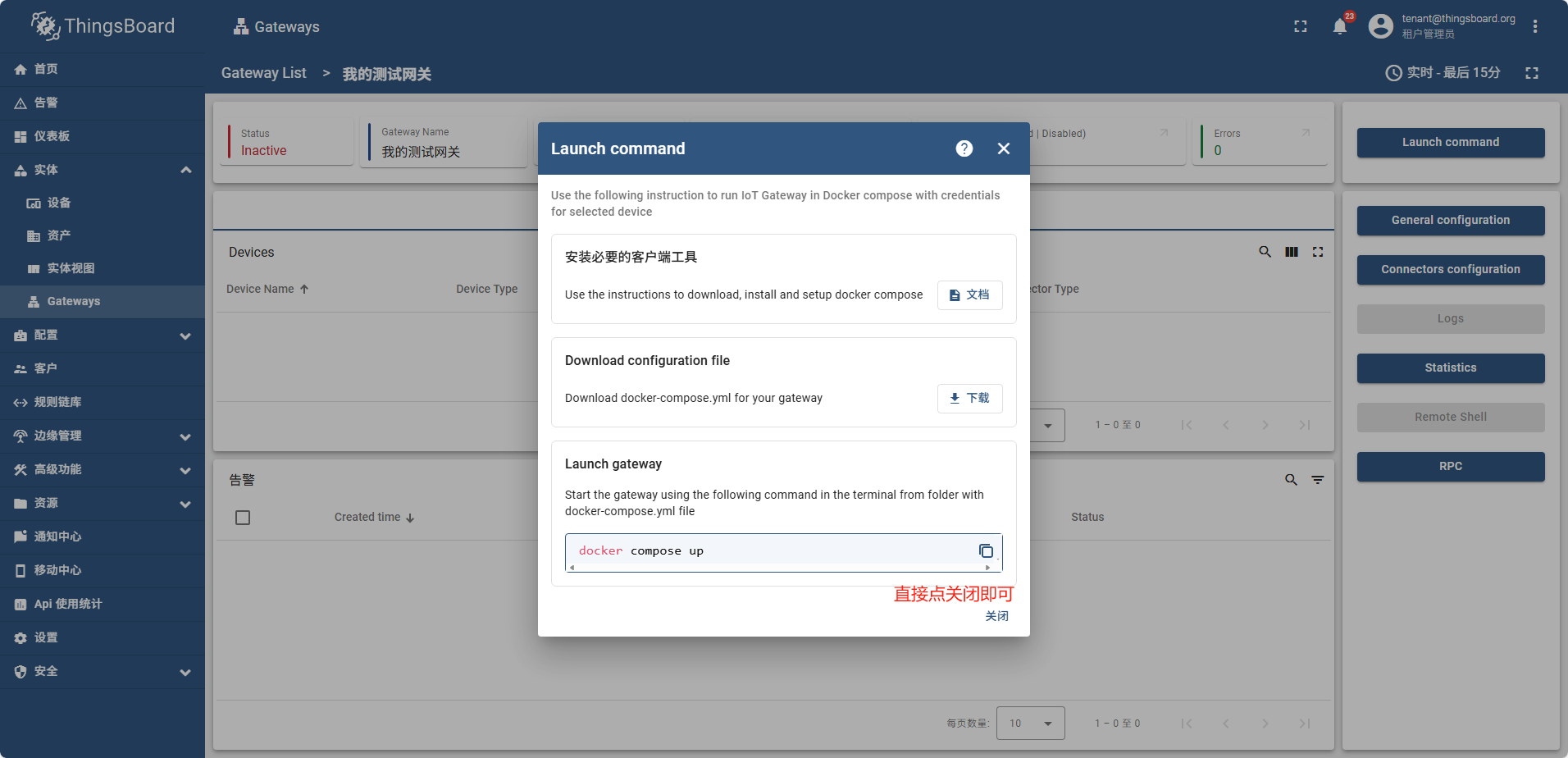
关闭后也可以再找到这个页面进行下载
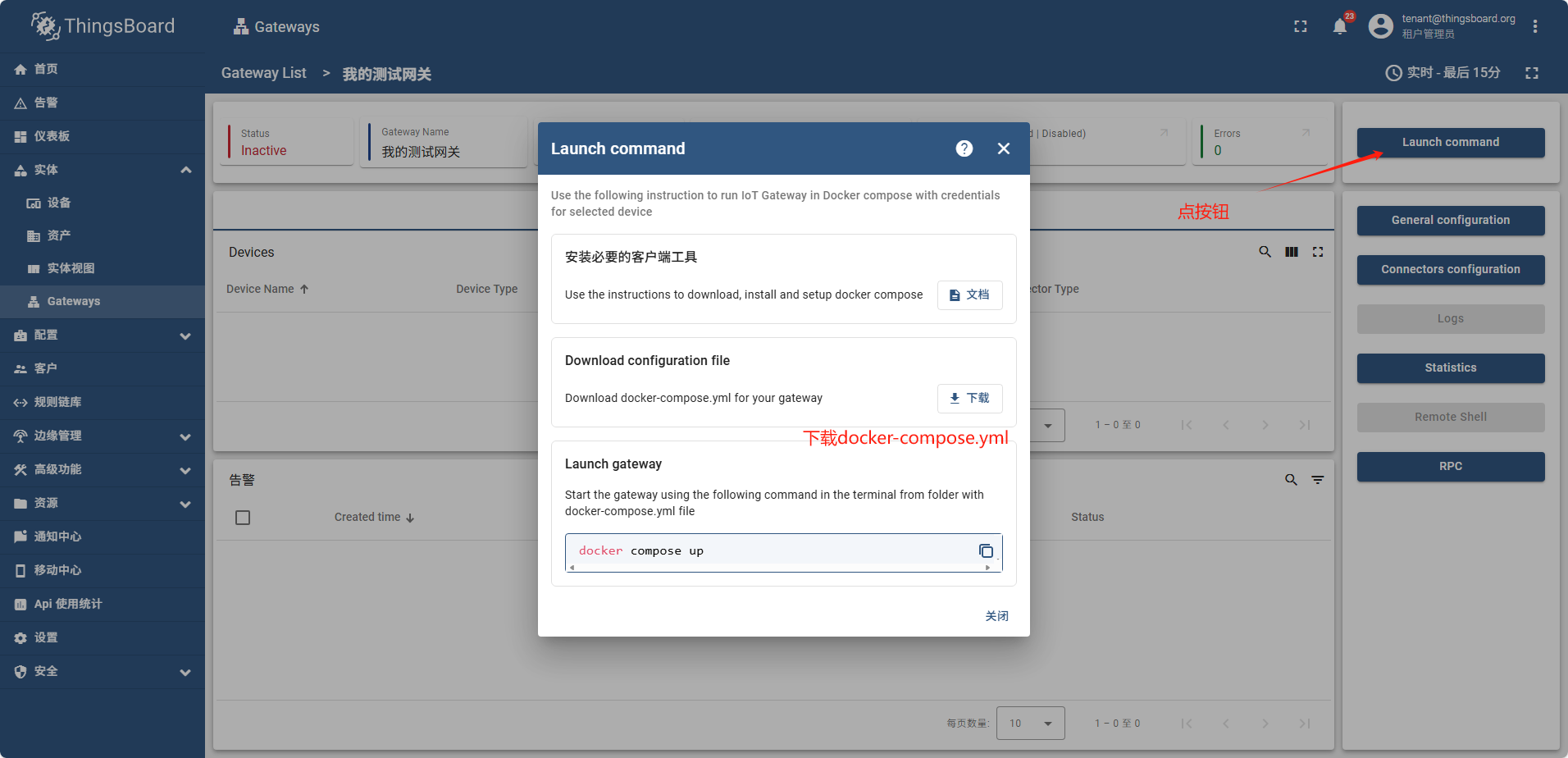
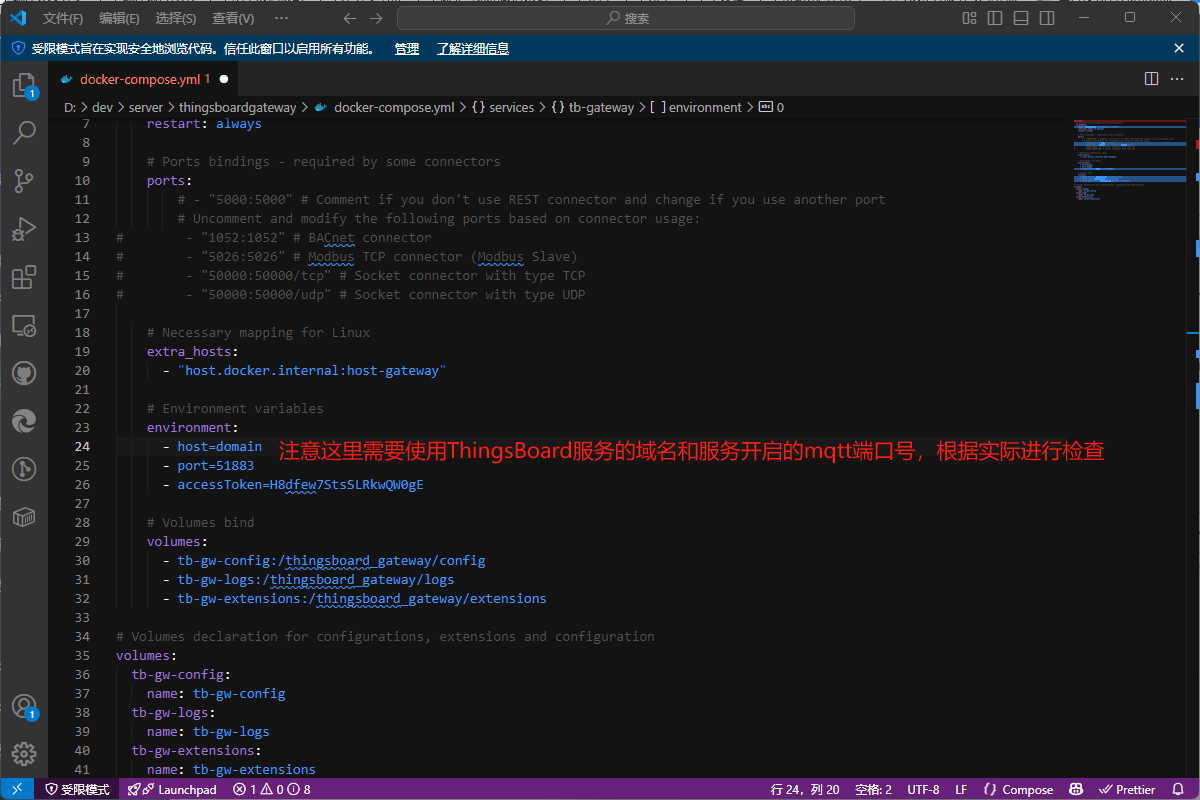
检查云端mqtt通信端口
services:
  # ThingsBoard IoT Gateway Service Configuration
  tb-gateway:
    image: thingsboard/tb-gateway:3.7-stable
    container_name: tb-gateway
    restart: always

    # Ports bindings - required by some connectors
    # ports:
        # - "5000:5000" # Comment if you don't use REST connector and change if you use another port
        # Uncomment and modify the following ports based on connector usage:
#        - "1052:1052" # BACnet connector
#        - "5026:5026" # Modbus TCP connector (Modbus Slave)
#        - "50000:50000/tcp" # Socket connector with type TCP
#        - "50000:50000/udp" # Socket connector with type UDP

    # Necessary mapping for Linux
    extra_hosts:
      - "host.docker.internal:host-gateway"

    # Environment variables
    environment:
      - host=home.anzhongwei.cn
      - port=51883
      - accessToken=H8dfew7StsSLRkwQW0gE

    # Volumes bind
    volumes:
      - tb-gw-config:/thingsboard_gateway/config
      - tb-gw-logs:/thingsboard_gateway/logs
      - tb-gw-extensions:/thingsboard_gateway/extensions

# Volumes declaration for configurations, extensions and configuration
volumes:
  tb-gw-config:
    name: tb-gw-config
  tb-gw-logs:
    name: tb-gw-logs
  tb-gw-extensions:
    name: tb-gw-extensions
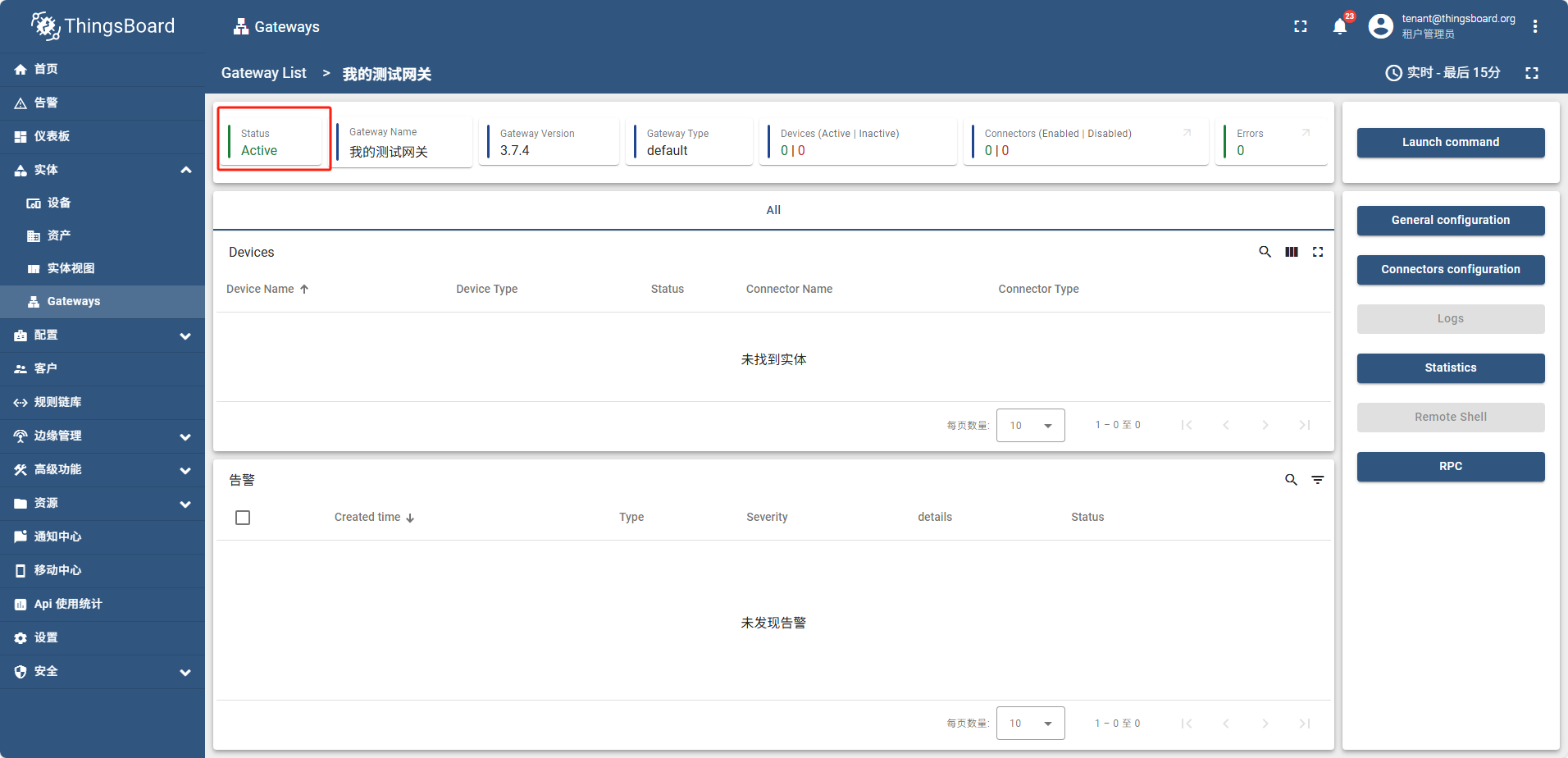
运行成功后,网关状态为 活动的(Active)
新建网关(边缘)
边缘侧网关创建操作和在云端完全一致,唯一区别是启动时连接的mqtt的host地址是边缘侧mqtt的ip地址
因为是在docker内启动, 即使是本机也需要使用宿主机的ip不能用localhost
version: '3.4'
services:
  # ThingsBoard IoT Gateway Service Configuration
  tb-gateway-edge:
    image: thingsboard/tb-gateway:3.7-stable
    container_name: tb-gateway-edge
    restart: always

    # Ports bindings - required by some connectors
    # ports:
    #     - "5000:5000" # Comment if you don't use REST connector and change if you use another port
        # Uncomment and modify the following ports based on connector usage:
#        - "1052:1052" # BACnet connector
#        - "5026:5026" # Modbus TCP connector (Modbus Slave)
#        - "50000:50000/tcp" # Socket connector with type TCP
#        - "50000:50000/udp" # Socket connector with type UDP

    # Necessary mapping for Linux
    extra_hosts:
      - "host.docker.internal:host-gateway"

    # Environment variables
    environment:
      - host=192.168.77.30  // 因为是在docker中启动,所以连接需要用ip,即使是本机也不能用localhost
      - port=1883
      - accessToken=opd2kpPHsS4EuChHe6zJ

    # Volumes bind
    volumes:
      - tb-gw-edge-config:/thingsboard_gateway/config
      - tb-gw-edge-logs:/thingsboard_gateway/logs
      - tb-gw-edge-extensions:/thingsboard_gateway/extensions

# Volumes declaration for configurations, extensions and configuration
volumes:
  tb-gw-edge-config:
    name: tb-gw-edge-config
  tb-gw-edge-logs:
    name: tb-gw-edge-logs
  tb-gw-edge-extensions:
    name: tb-gw-edge-extensions
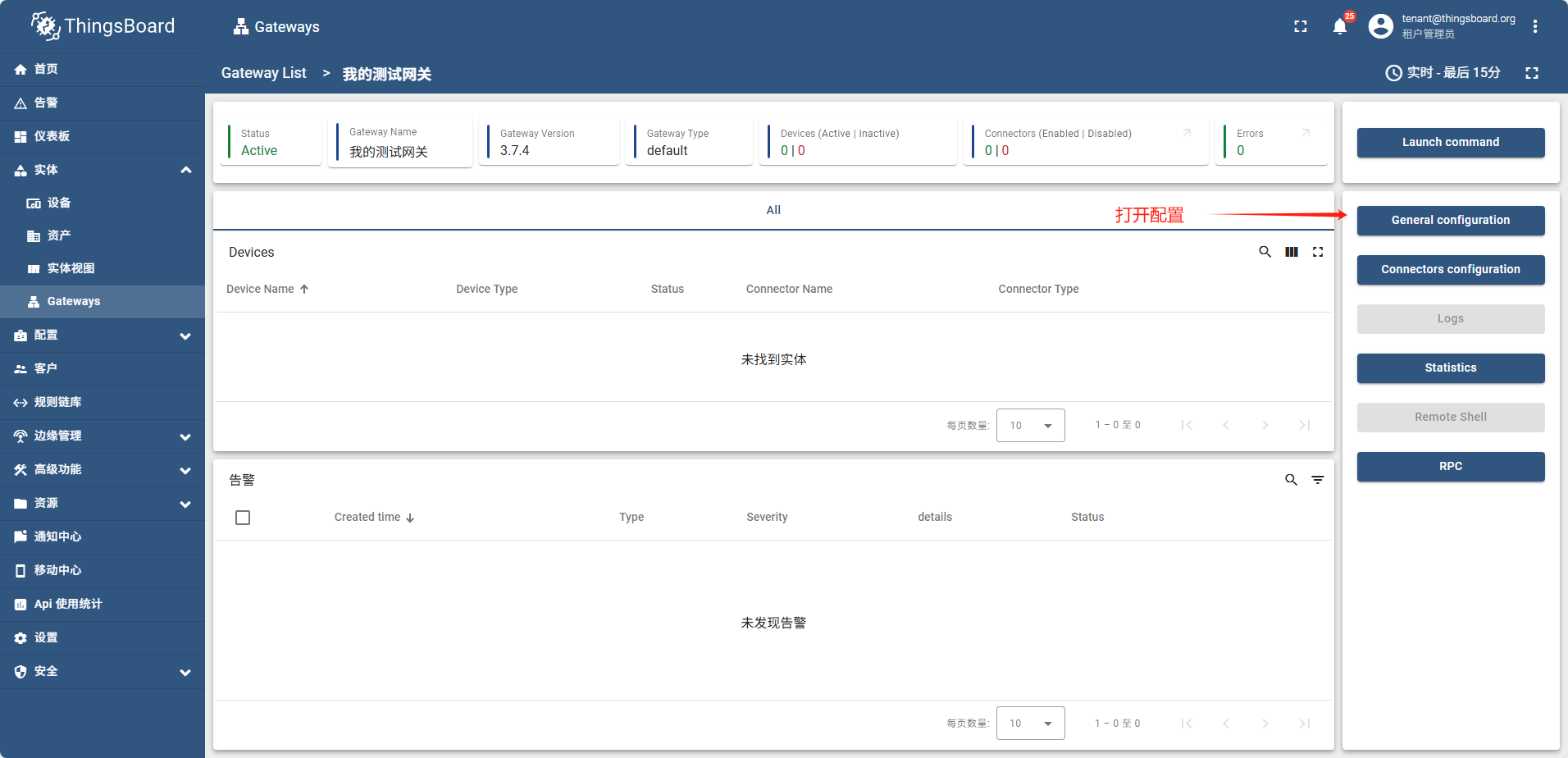
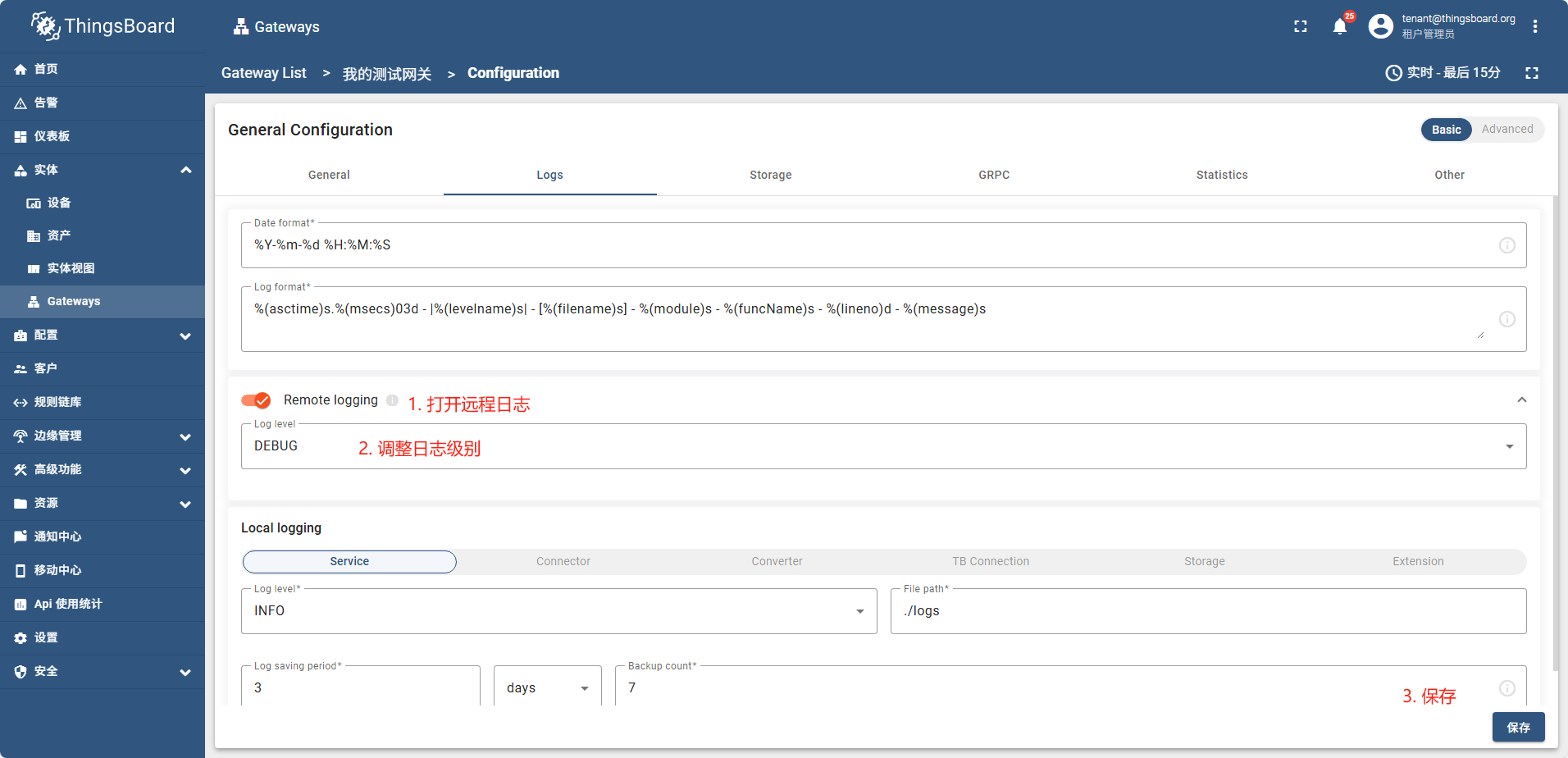
启用远程日记
创建一个MQTT连接器
- 首先启动一个mqtt代理,模拟一个在运行的mqtt服务
docker run -it -p 1884:1884 thingsboard/tb-gw-mqtt-broker:latest
这个mqtt代理会不停的发送信息
- 创建一个连接器
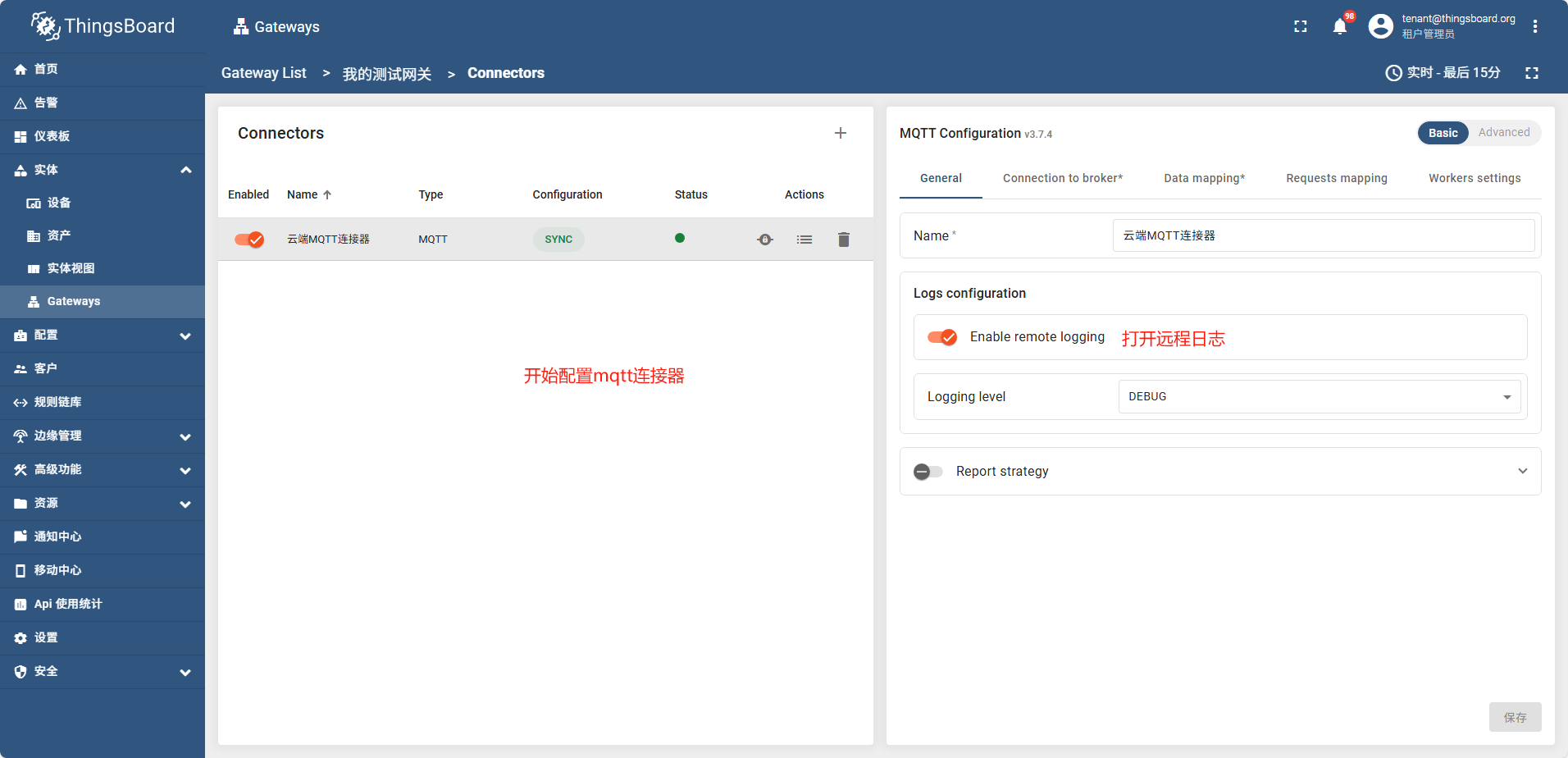
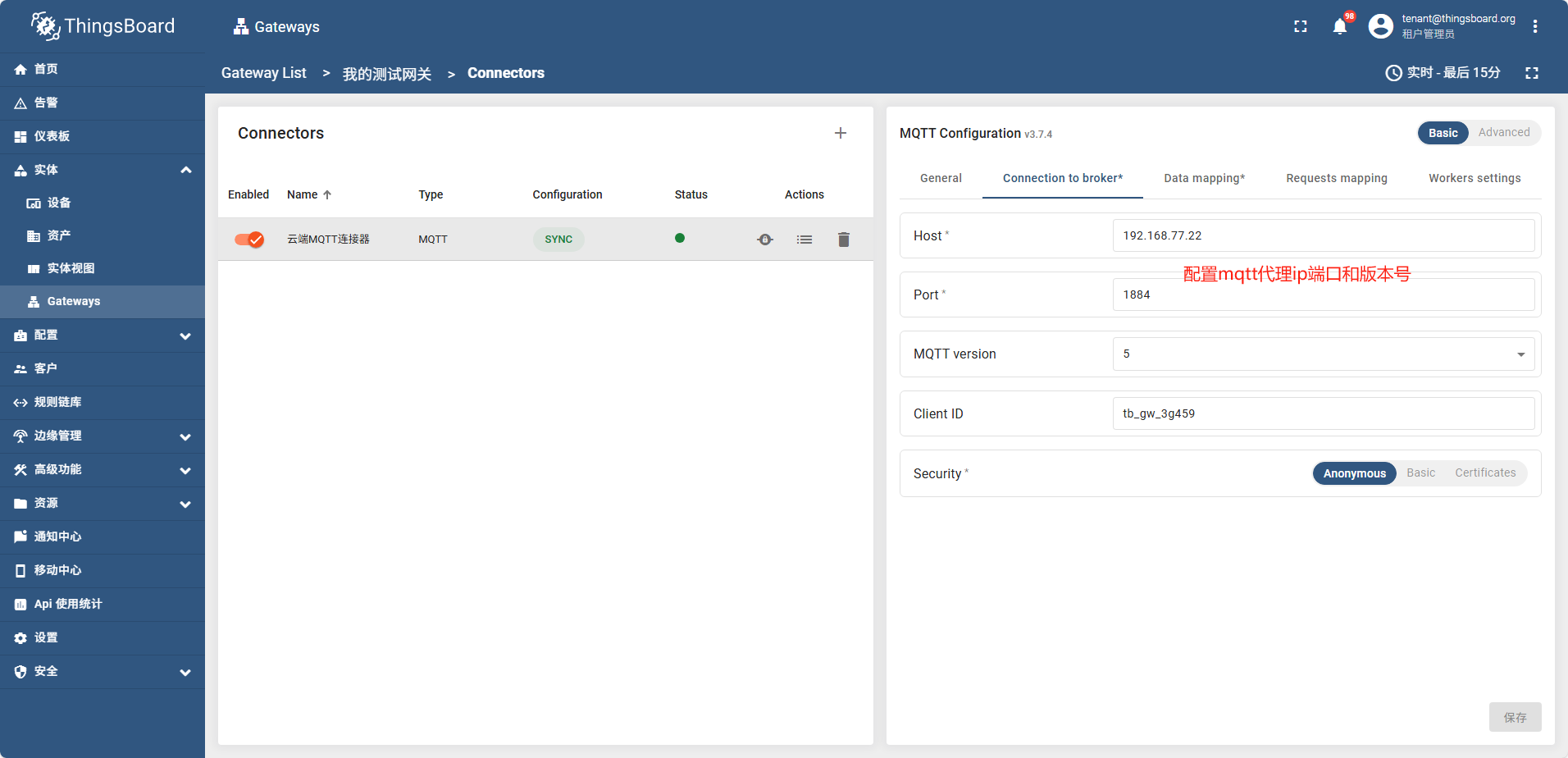
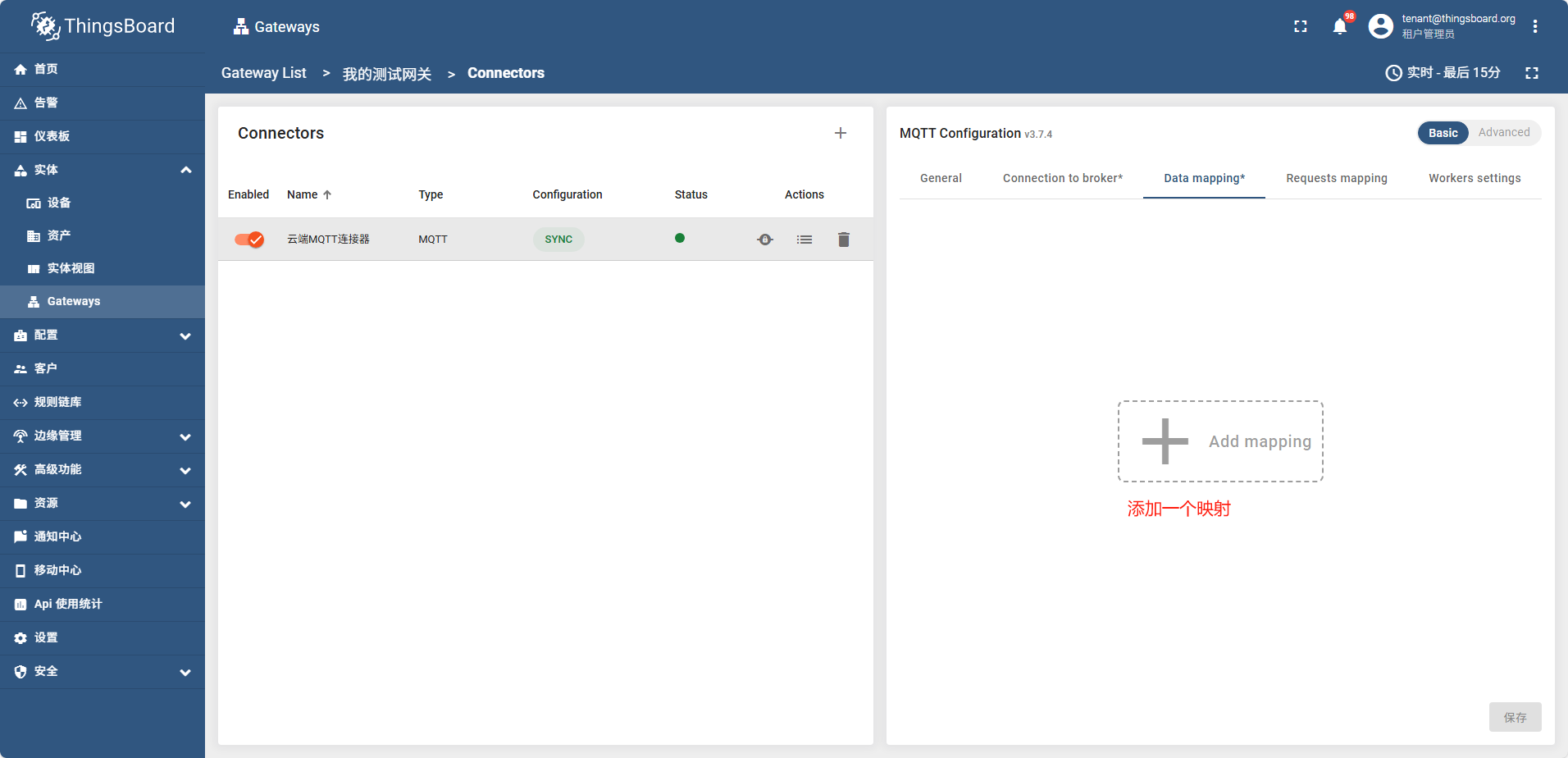
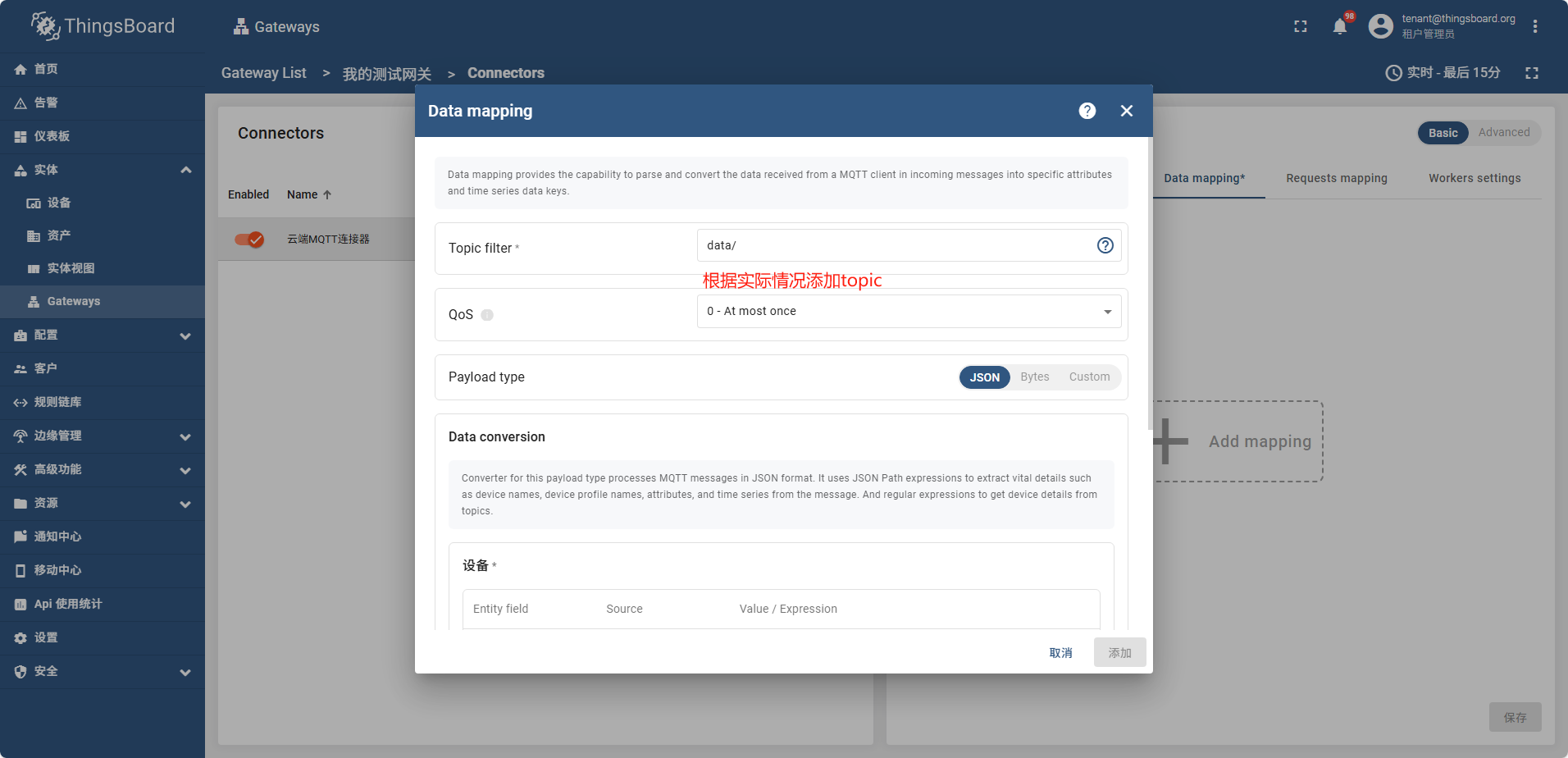
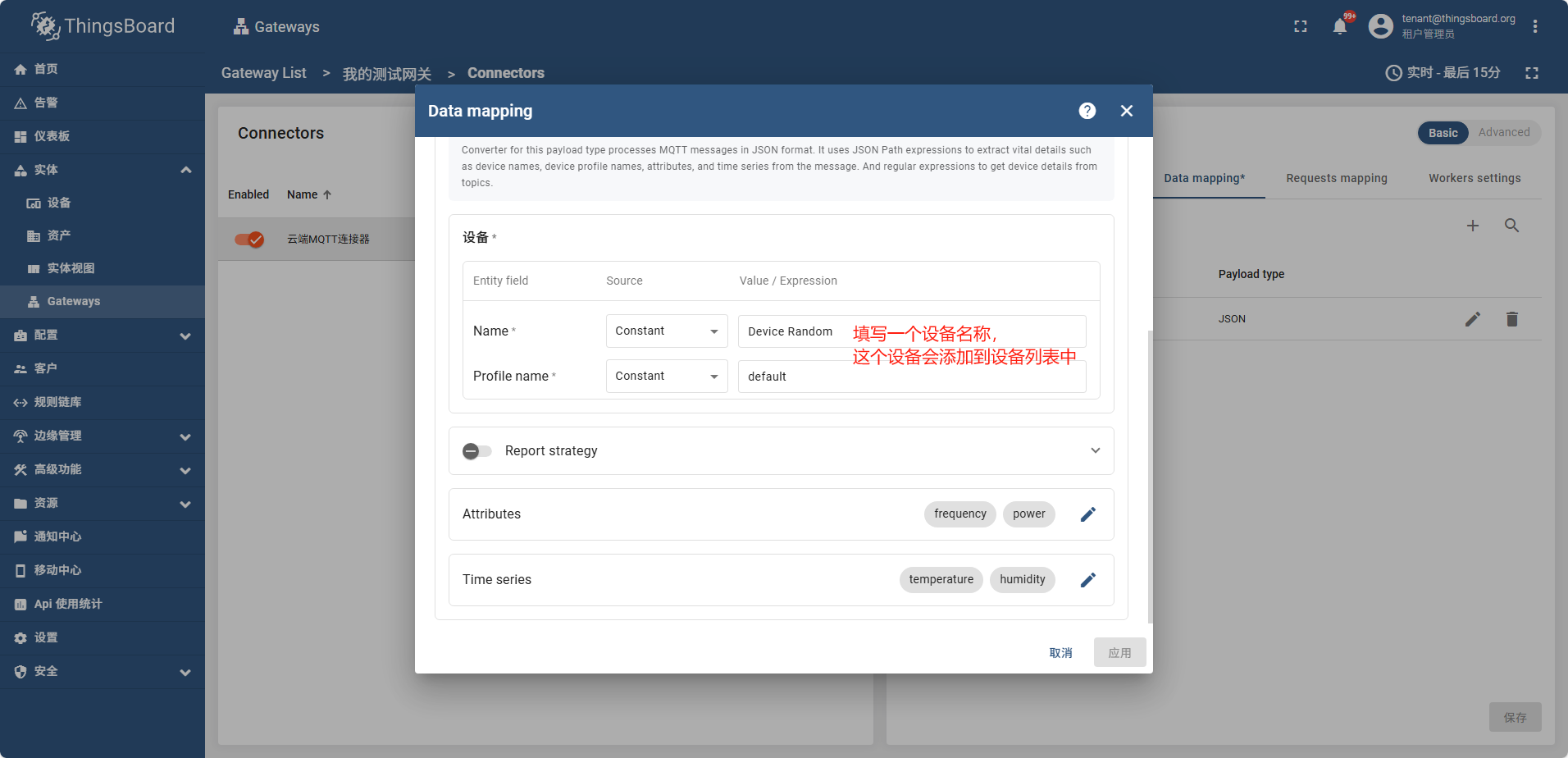
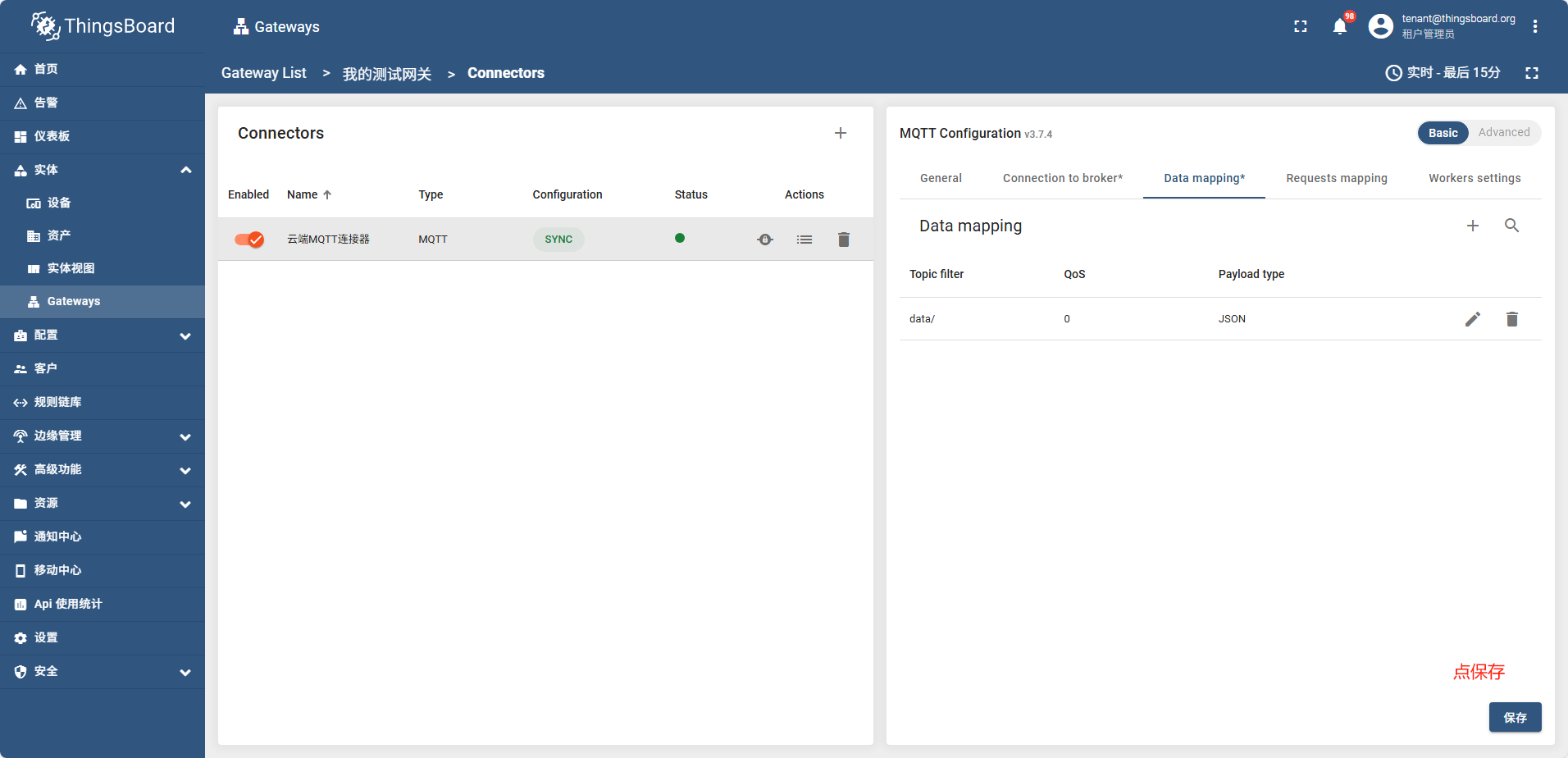
点保存后过一会,网关状态变成了绿色,说明网关成功连接了
mqtt代理控制台日志显示

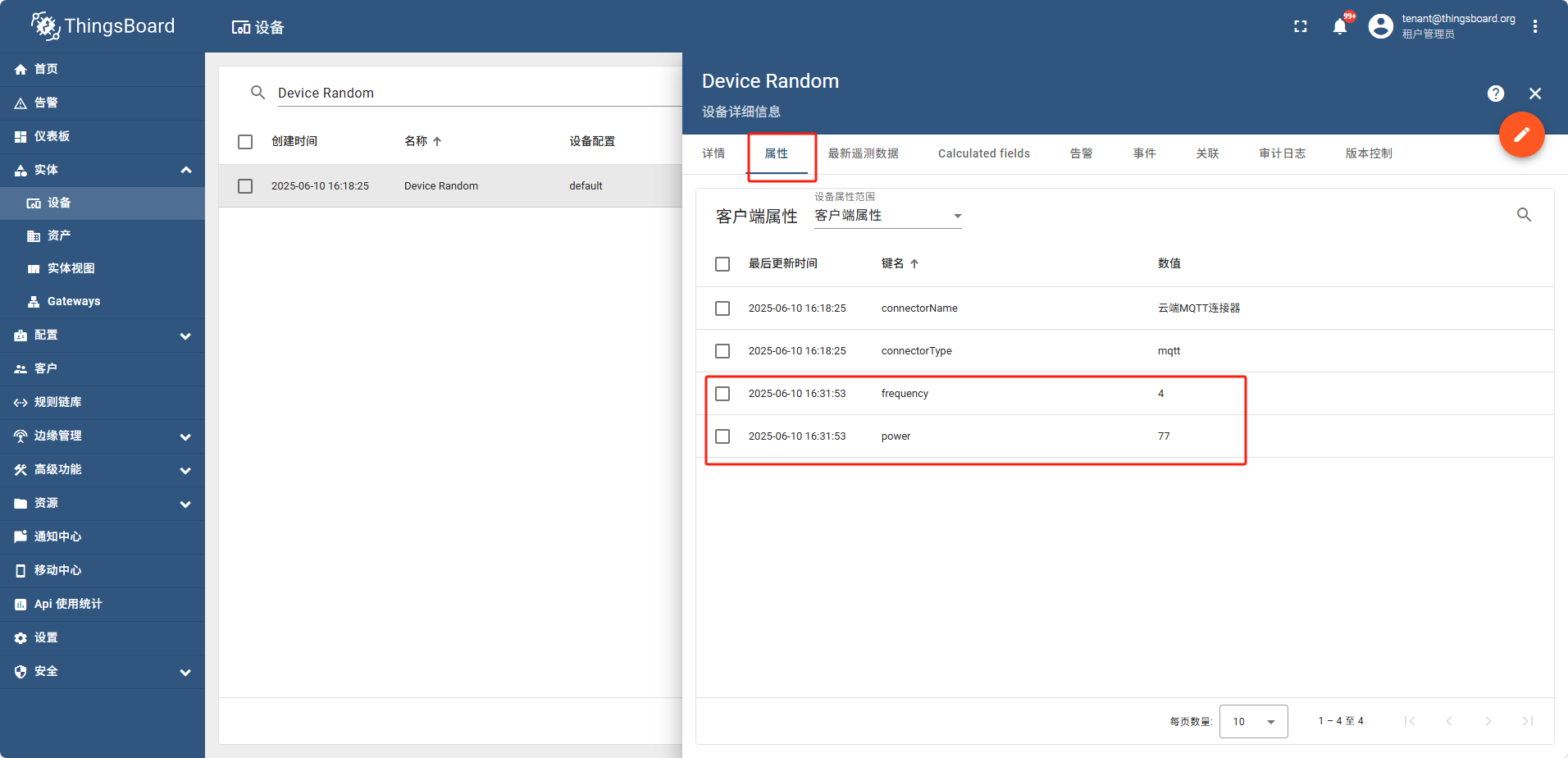
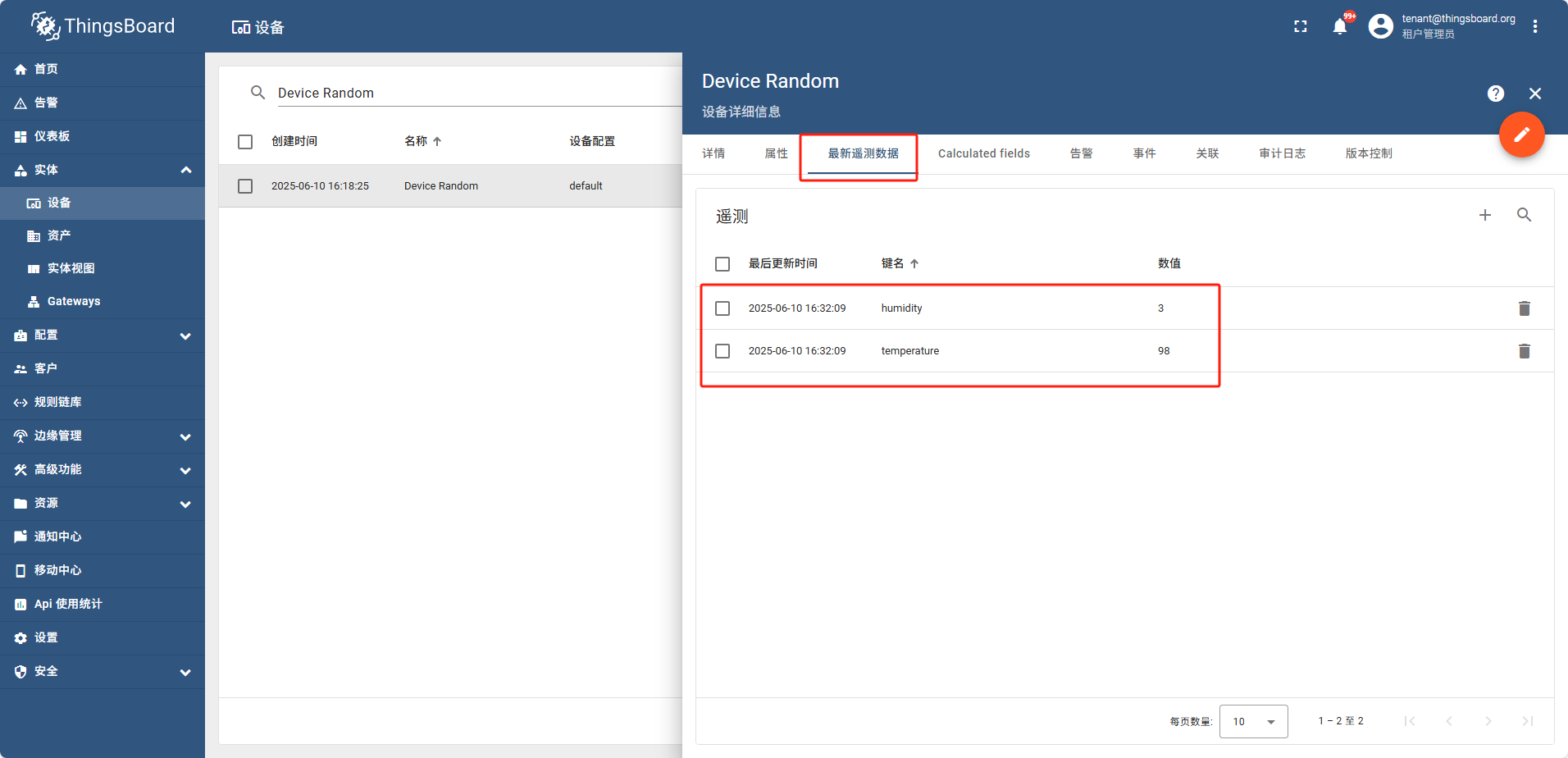
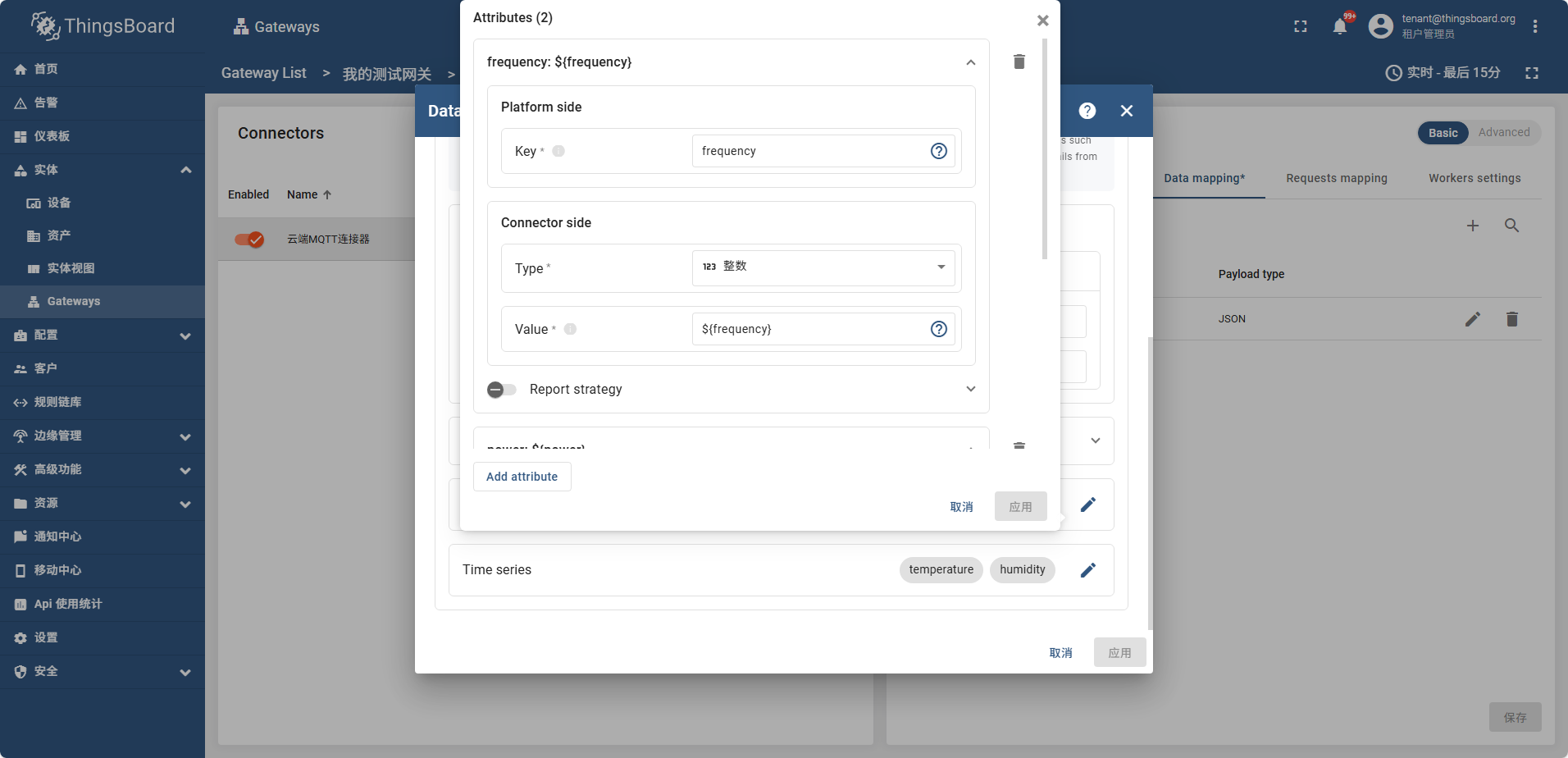
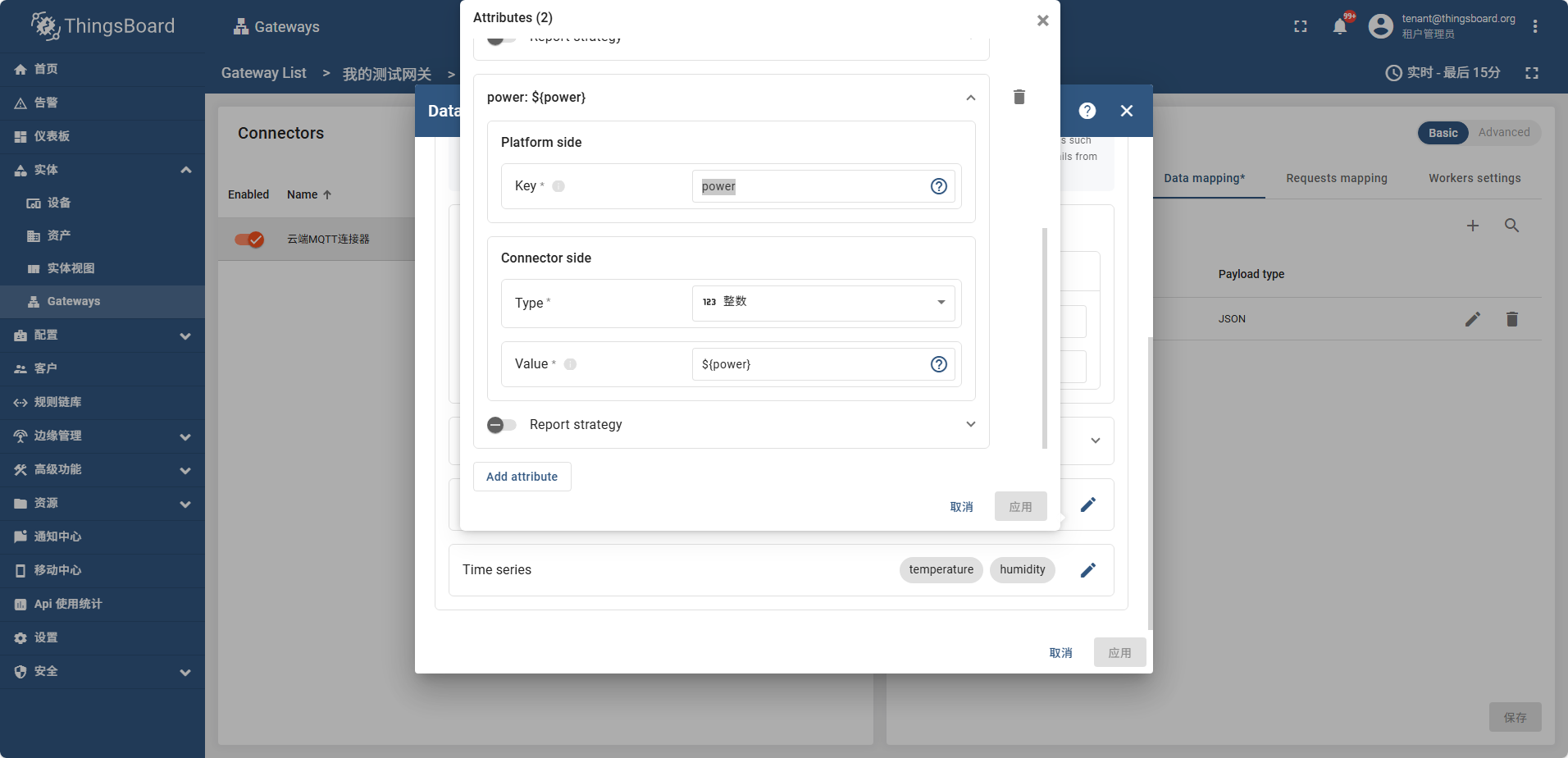
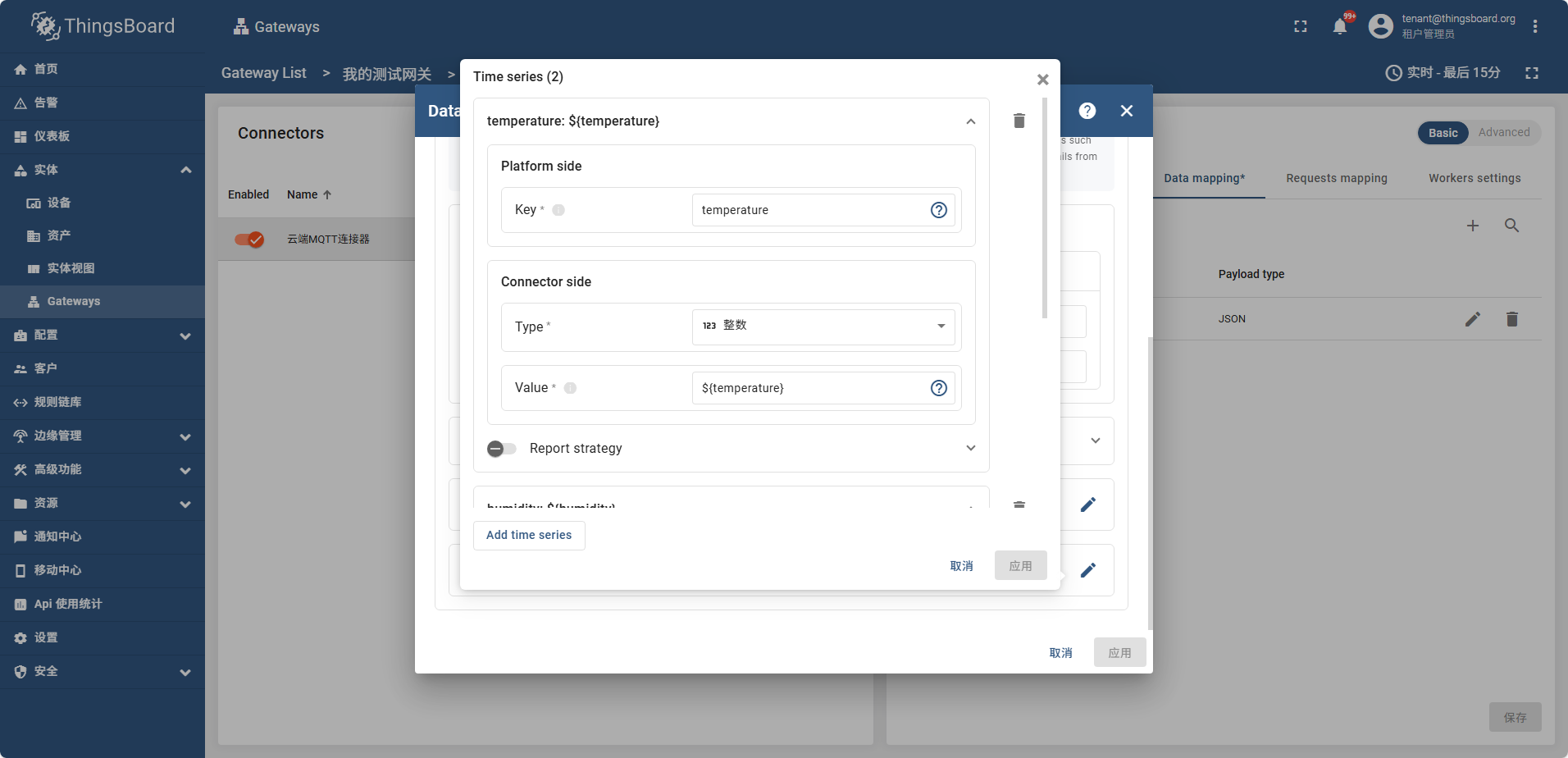
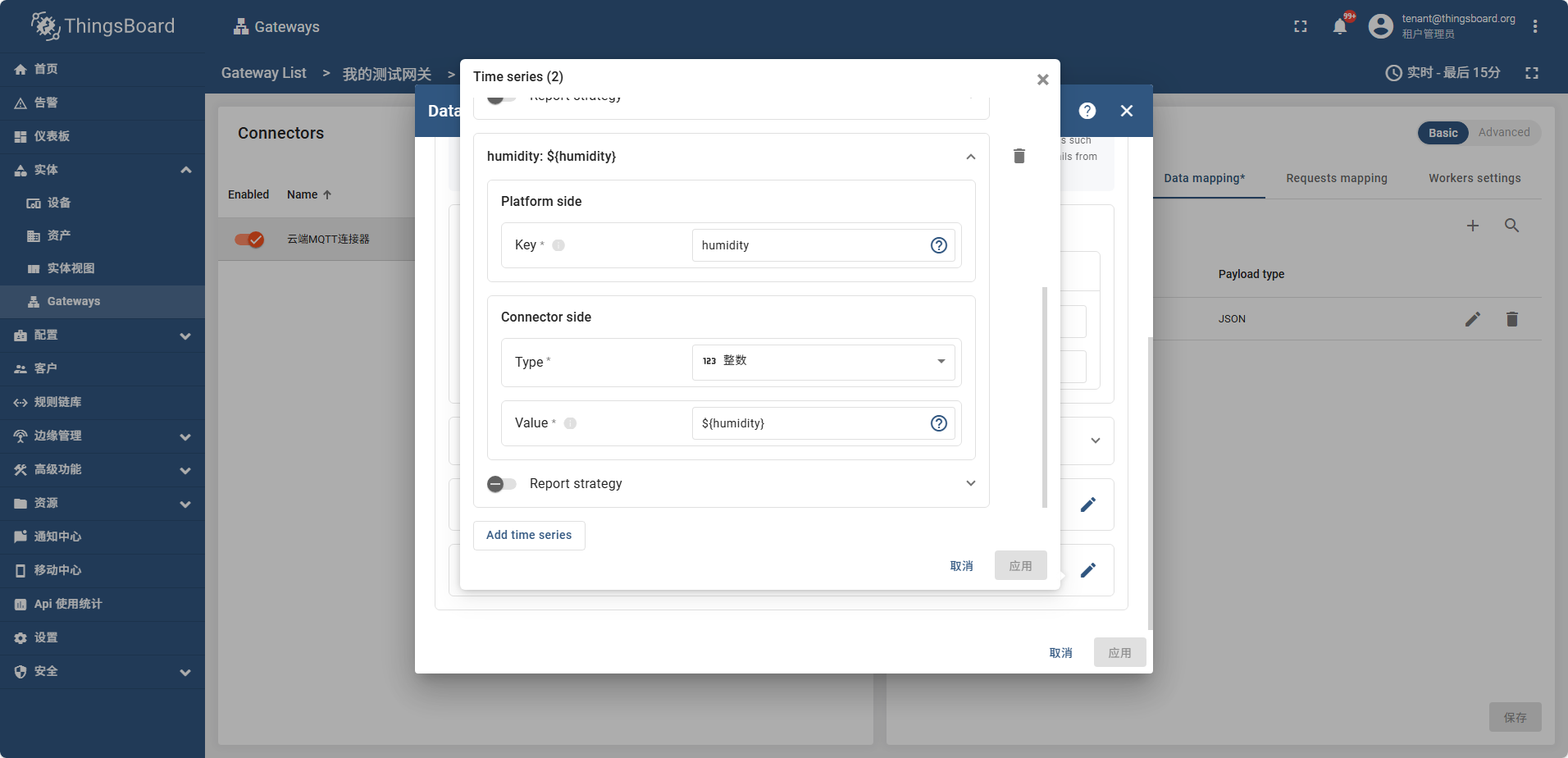
之后配置 Attributes Time series 如图
frequency power
temperature humidity
配置好属性后 打开网关信息页面
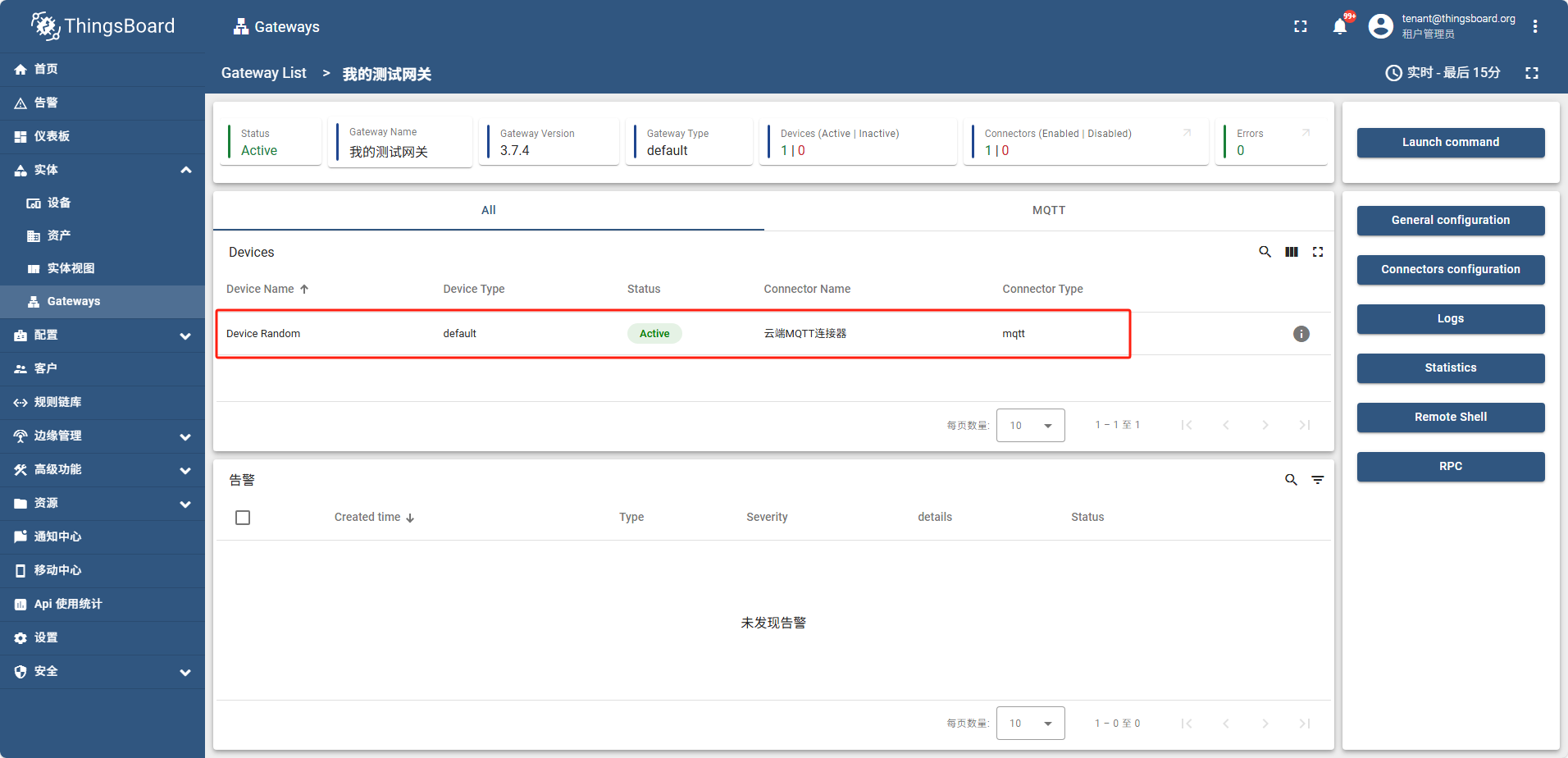
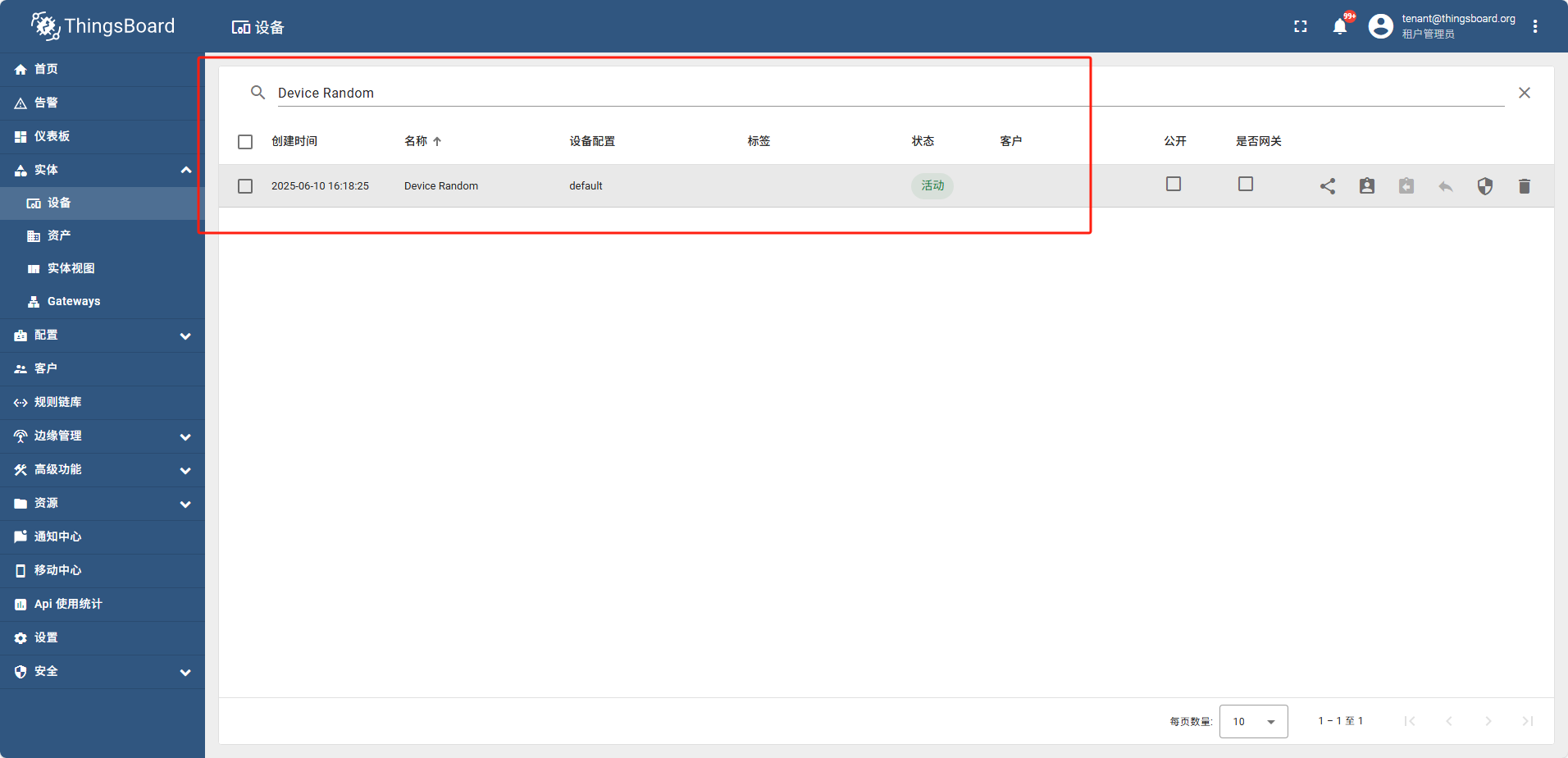
此时设备列表中也可以搜索到这个设备,并且属性tag页可以看到 temperature humidity
在遥测数据中可以看到